

Today, I had AI help me clean up my Apple computer. Before cleaning, only about 3GB of available space remained; after cleaning, it was back to about 136GB.
Over the past few months, I have been using AI to build websites, modify backends, and tinker with various small tools. The more I made, the more development files, temporary copies, and backups accumulated on my computer... until storage space ran critically low.
Good things are meant to be shared.
After having AI clean up space based on my needs, I took the opportunity to organize the methods used in this cleanup into an open-source Skill, named "Apple Mac Space Cleanup"。
What can it do for you?
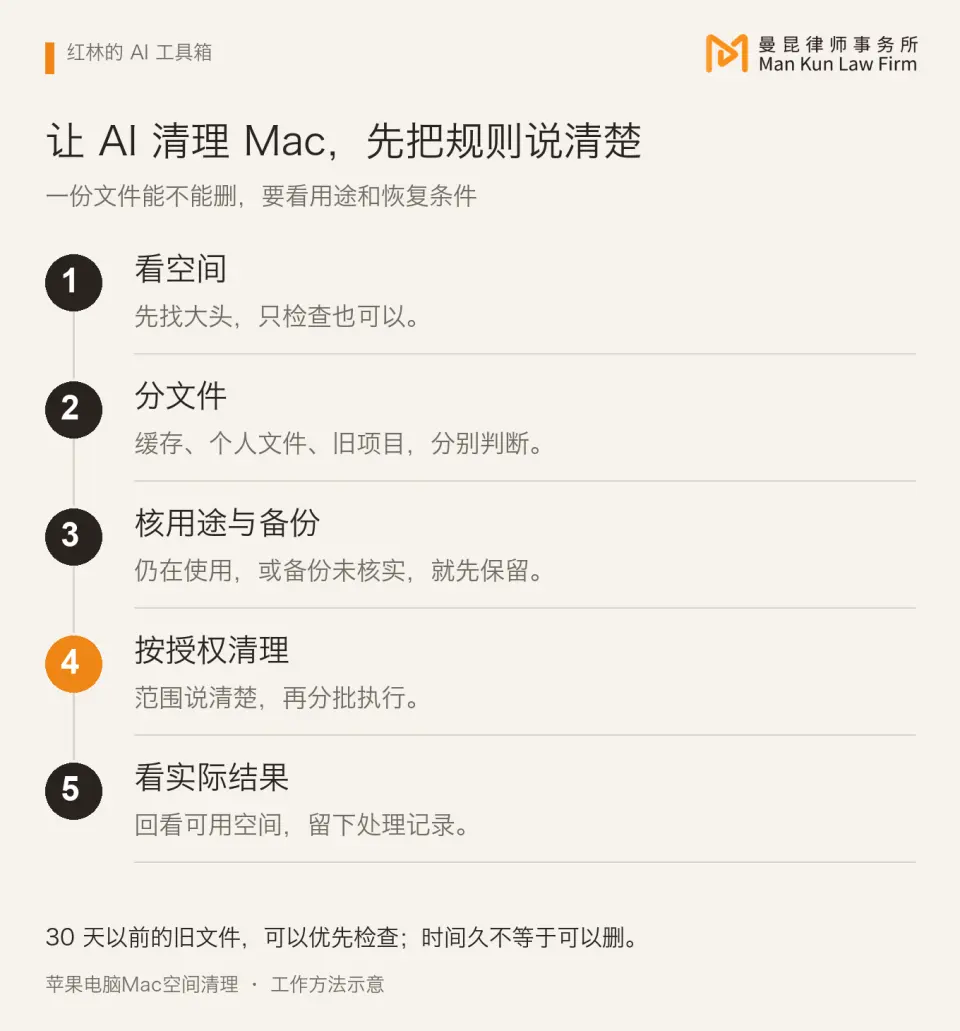
- It helps you identify caches, old logs, and unused development copies that take up Apple space, and distinguishes which can be cleaned and which need to be kept;
- After verifying their purpose and backups, it then processes them in batches within the scope you approve.
- When the cleanup is finished, it will also tell you how much space was actually freed up.
How to install and use it?
01 Send the following message to the AI software you are using:
Please follow the instructions at https://skillhub.cn/install/skillhub.md to install @user_c008dbd9/macos-deep-clean into the skills directory of the current AI tool. Install only this skill.
02 After installation is complete, first have it run a check:
Use "Mac Disk Space Cleanup" to check my computer. Only check for now, do not delete anything; tell me where the space is mainly being used, what can be cleaned up, and what needs to be kept.
This Skill has been open-sourced under the MIT License, and the project entry has been uploaded to Skillhub:Mac Disk Space Cleanup · View/DownloadThe source code and rules are also included in the package; those who need them can review and modify them on their own.
Several Skills previously shared
- Mankun Lawyers AI Edition: answers general legal questions on Web3, blockchain, cryptocurrency, virtual currency, stablecoins, USDT, USDC, real-world assets (RWA) and digital asset business, and provides access to regulatory developments and industry research.
- Get Notes - Daily Report: automatically reads yesterday's audio recordings in GET Notes every day, generates a three-in-one daily report of "Lyubishchev diary + germination report + review summary," and pushes it to IM conversations such as Feishu.